
When recording a line cleaning, you can record the tap and box temps. Box temp can be the temperature of the walk-in or a direct-draw box; or whatever you’d like them to be.
This optional feature is available in all three ways to record a line cleaning:
Using the QR code,
during a call (Call Plan feature), either manually or auto-scheduled,
and manually recording the cleaning in Admin.
The temperatures are displayed in the line cleaning history section in the LC Status/Brands tab on an establishment page.
Go to the establishment manager, then click the establishment name.
Click on the LC Status tab.
Scroll down to the line cleaning history section
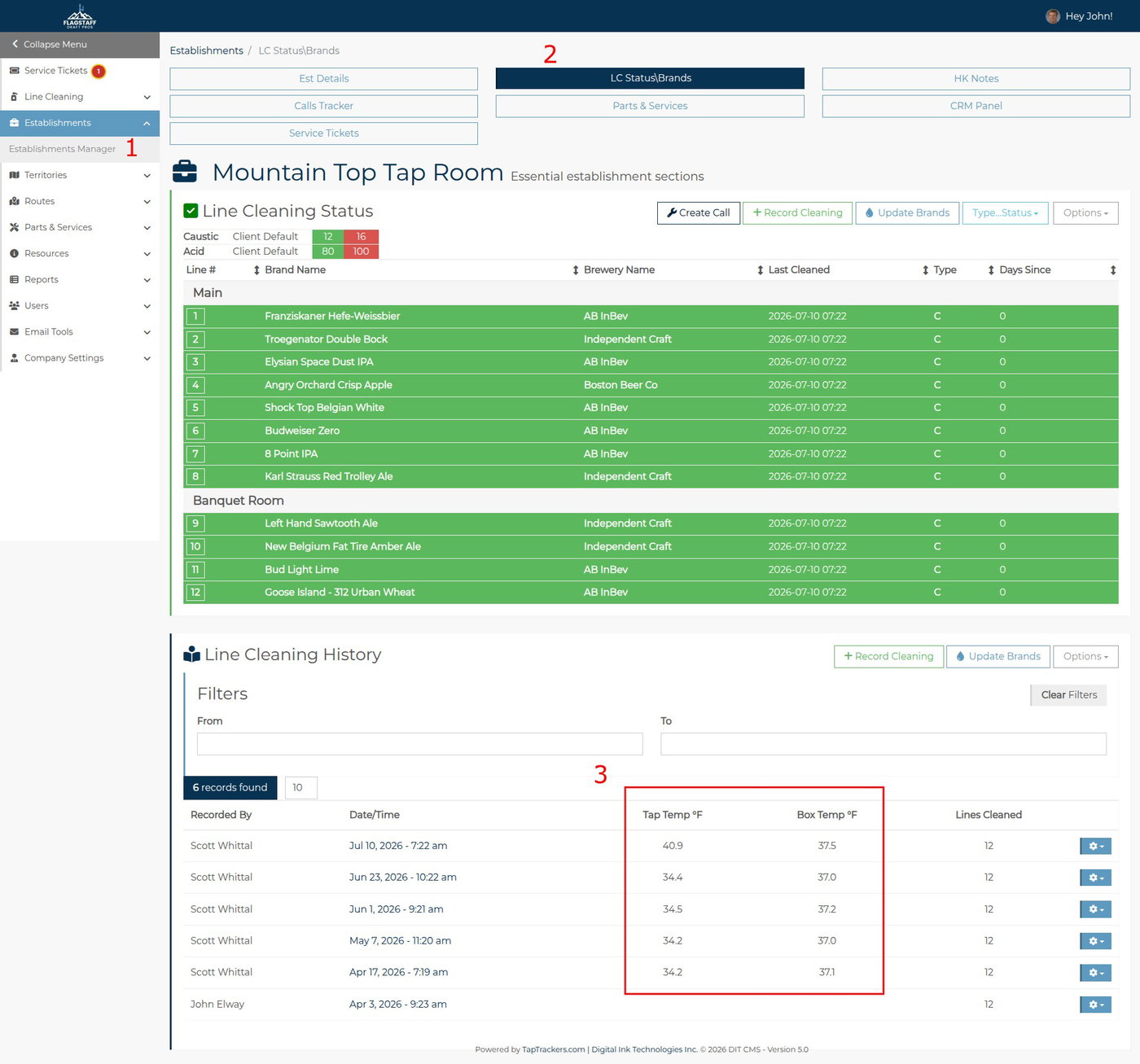
In the example above, you can see that the Tap Temp has increased significantly, from a steady 34°F to almost 41. This is a good opportunity to be proactive and offer solutions before the tap temp rises further.
Best practice for Tap Temperature is to record the tap temperature as you start pulling through the cleaning solution.
Best practice for box temp is to use a water bottle, as it better reflects the beer's temperature in a keg than measuring the ambient temperature. If your business is established, you may wish to use a branded water bottle like this:
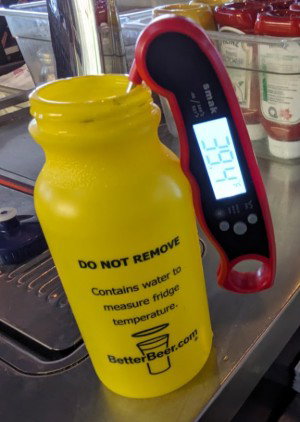
When buying in bulk, these water bottles cost about $1 each.
If not, you can buy inexpensive water bottles on Amazon and put a sticker on them.
Looking Ahead
The temps recorded during a line cleaning are now live and ready for you to use. Our plan is to display the last two temps when you are recording a cleaning so you can see right away if there is an upward trend. This should be in place by the end of 2026