

Near the bottom of the page on the Establishment Details tab of the Establishment page, you will find the No Go Hours section.
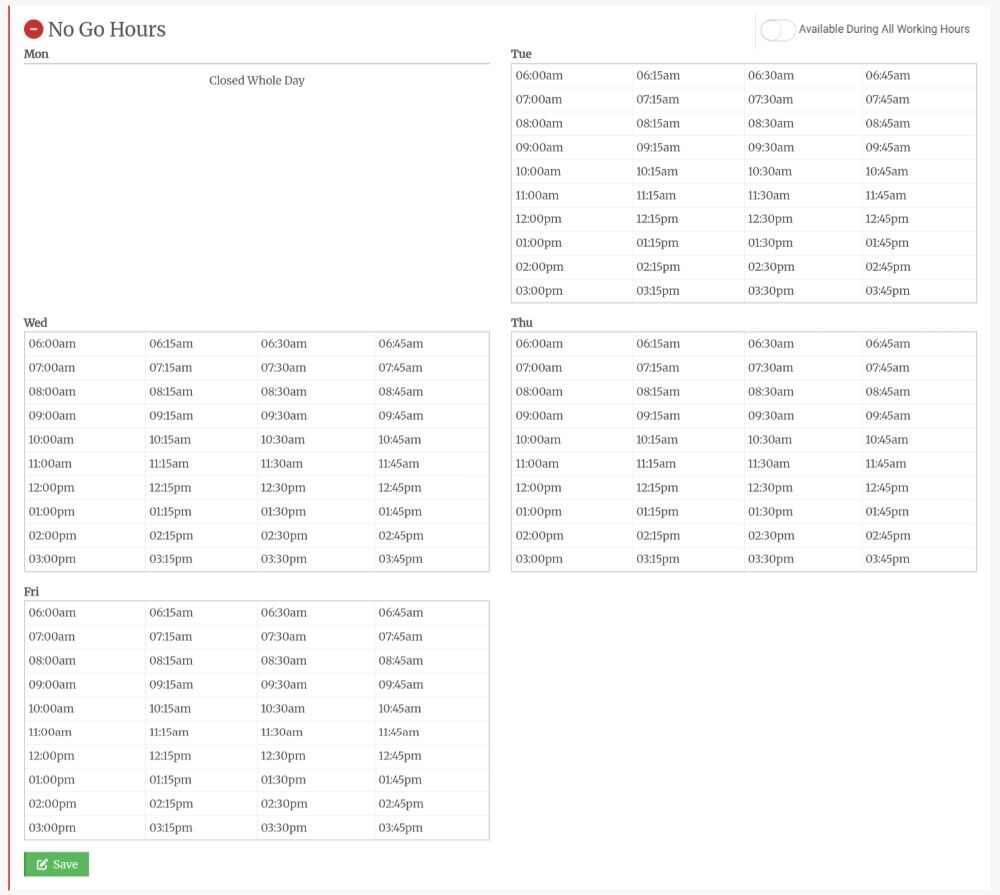 No Go hours are the times for each weekday when you should not visit the establishment. Some examples could be:
- They are closed
- There is nobody in at that time yet
- There is no manager there with the keys
- The restaurant is busy
- They are doing inventory
No Go Start & Finish Times
The Company Settings page determines the start and finish times for each day that show on the No Go Hours. You may not have visibility to that feature - if so please get in touch with us to make adjustments. In the example above, your working hours are 6am - 4pm.
No Go Hours - Closed All Day
In the example above, the establishment is closed all day on Monday, as Monday is marked as Closed in the Establishment Details section further up on that page:

Setting No Go Hours
When first onboarding a customer, ask them about the times they are available to be serviced.
To mark a time as 'No Go', simply tap it, or if on a computer, tap and drag your finger over the times. The time box will change from white to red. Red means that it is a No Go time. Make sure to hit Save.
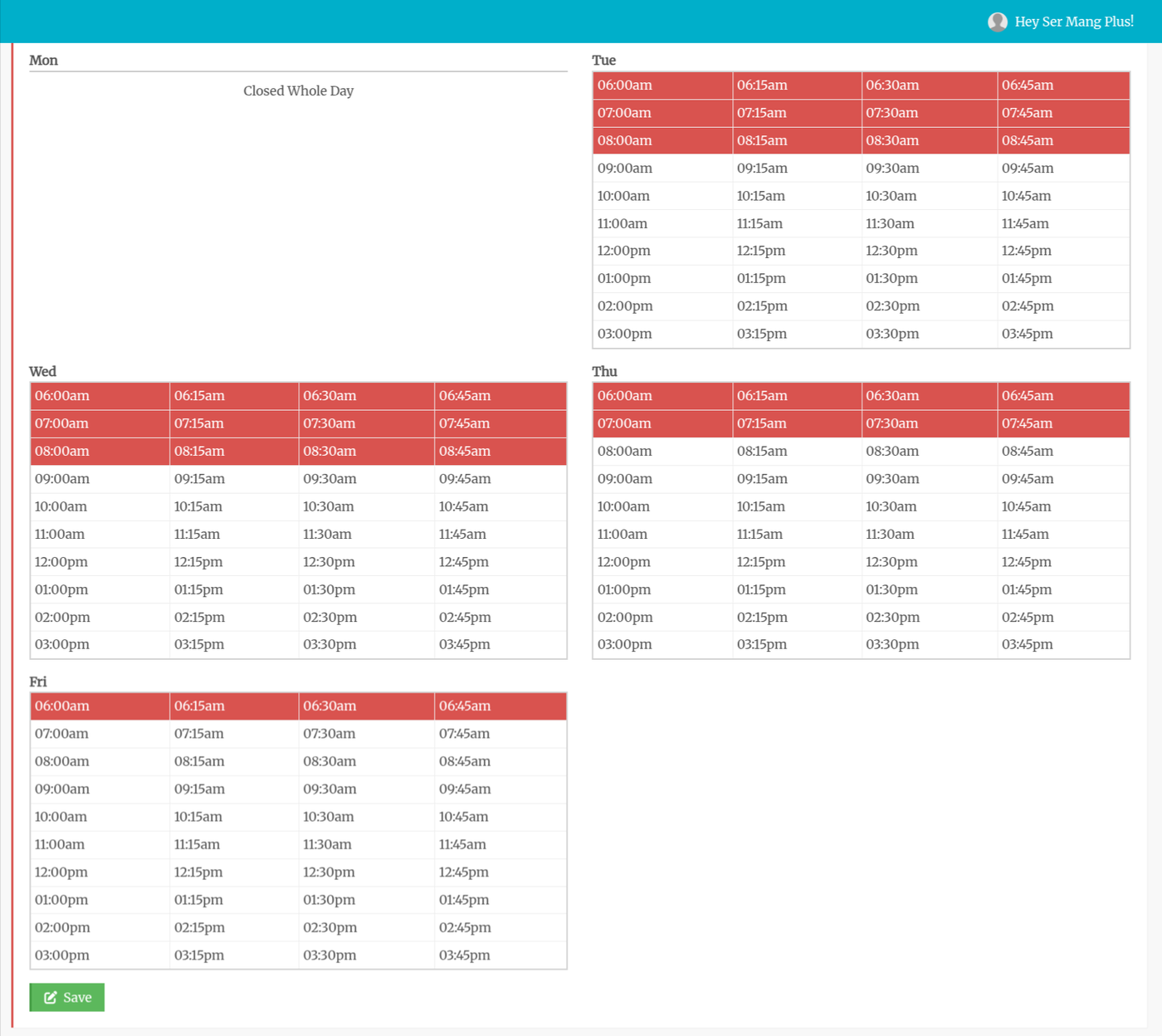 In this example above, the Establishment:
- Is closed on Mondays
- Unavailable until 9am on Tuesday and Wednesday
- Unavailable until 8am on Thursday
- Someone is in at 7am on Fridays
While this may seem like a lot of work, filling out each establishment's No Go Hours will save you a fortune in Refused Service calls, as you will only be sending your techs when there is something at the establishment.
If a service call or line cleaning is scheduled during a No Go time, you will receive a warning and be asked to reschedule it. This prevents your techs from showing up at a dark, locked establishment.
Always Available
Perhaps the establishment is in a hotel, casino, or is open 24 hours. In that case, toggle the Available During All Working Hours switch in the top right corner of the No Go Hours section. This confirms that the establishment is always available and not that someone forgot to fill them in. The No Go Hours will disappear. Toggling it off will reshow the previous No Go Hours.

