

Catch-up days are an optional feature that you can add to a territory, telling the auto-scheduled route to skip that day.
Note that this only works on days that have yet to be scheduled.
If you add a Catch Up day to the current week, you will need to re-run the auto scheduler.
Adding A Catch-Up Day
- Go To Territory Manager
- Click on the territory you wish to add a Catch Up Day
- Scroll down to the Catch Up Day section and click on Add A New Day
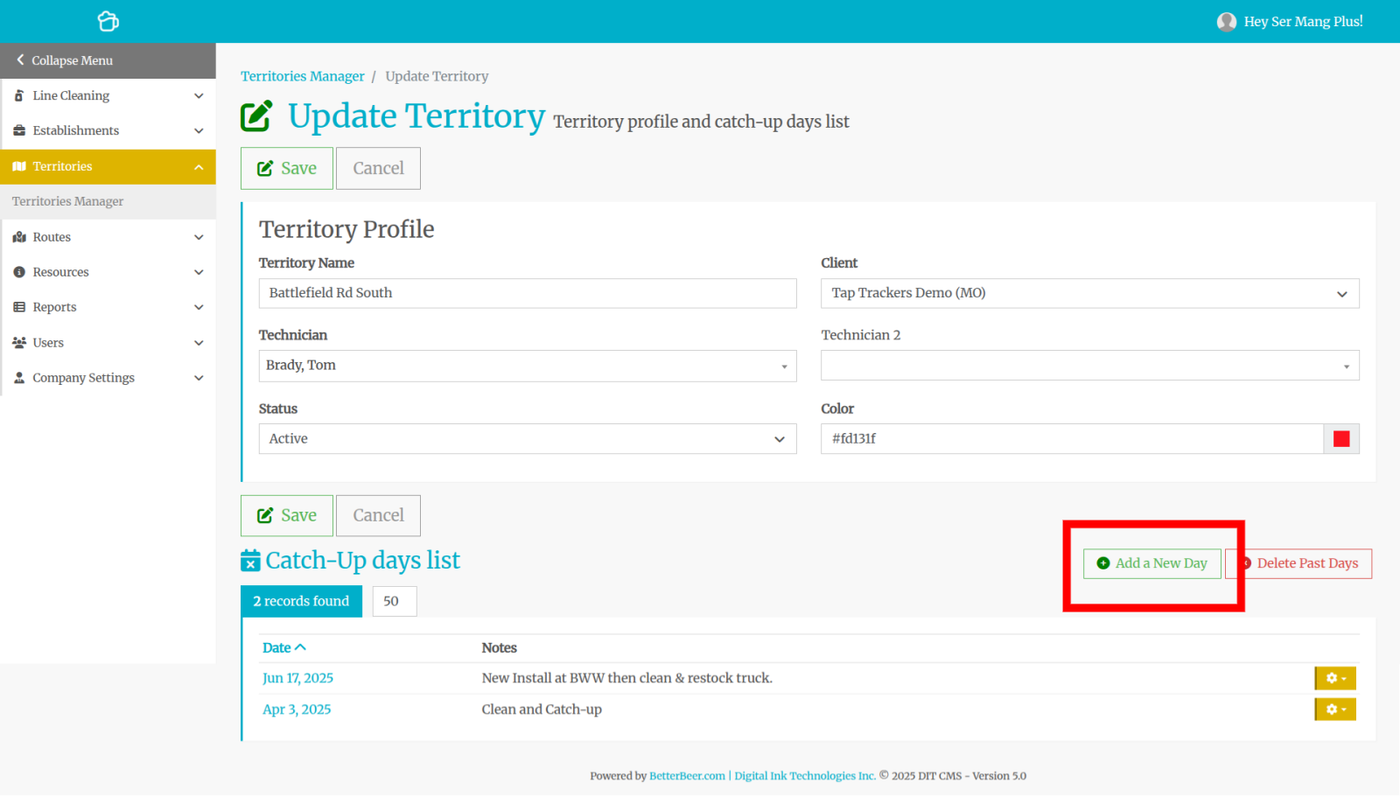
Use the date picker to pick a date and optionally add some notes.
Examples of Catch-up days:
- The truck is in for service/oil change
- Tech is working on an install
- Tech needs the day off from work
- Restocking the truck with supplies
- Impending storm